Digital Video Recorders

CCTV just isn’t what it used to be. Once reserved for security and loss prevention professionals, today’s technologies make it possible to maintain the highest levels of security, while sharing certain video feeds seemlessly with merchandising, management, investors and others. Today, while those applications are still a major part of any CCTV system, Digital Video and more particular Digital Video Recorders (DVR’s), allow anyone within an organization to use this powerful tool. Just look at how some different departments are benefiting from digital recording!

Just look at how some departments are using Digital Video for Security.

Shrinkage reductions are nearly impossible to predict because of the huge number of factors, but our customers tell us that a good DVR is paying for itself within 12-15 months on average. Many times catching one incident more on camera has saved them 10-20 times the cost of the DVR and/or entire camera system (fraudulent slip and falls, etc.) which of course yields a much faster ROI.

In any case wise decision makers are now making the switch to digital and reaping the many rewards. Explore the links below to learn more! Viewing live or recorded video locally or remotely via the Internet, quickly and easily finding video events using motion, light changes, time/date, alarms or other filters, and tying text from a POS, Barcode reader, or other text medium are just some of the solutions a quality DVR will afford you.

Many Digital Video Recorders exist. However, none have the proven track record as the Intellex DVMS (Digital Video Management System). Below, find some useful links to information on it and it’s accessories. You will find on the right a list of links to give you comparative information on different Digital Recorders. Although many have tried and will continue to do so, nobody has matched Intellex on value to you. But don’t just take our word for it.

Look through the list of information below, then contact us and ask for some references. We would be happy to provide them.

Intellex ® v4.1 DIGITAL VIDEO MANAGEMENT SYSTEM (4, 8, 16 camera) Intellex® is an intelligent digital video management system that combines multiplexing, alarm/event detection, video, audio, text recording and much more. Intellex will simultaneously display live or playback video, with or without audio and text, host multiple remote users, archive, and perform comprehensive video searching – all while recording multiple video, audio and text streams.

Download pdf for more information

Intellex ® v4.1 DIGITAL VIDEO MANAGEMENT SYSTEM (8 camera from 250GB to 750GB+) Intellex® is an intelligent digital video management system that combines multiplexing, alarm/event detection, video, audio, text recording and much more. Intellex will simultaneously display live or playback video, with or without audio and text, host multiple remote users, archive, and perform comprehensive video searching – all while recording multiple video, audio and text streams.

Download pdf for more information

Intellex ® LT DIGITAL VIDEO MANAGEMENT SYSTEM (4, 8, 16 camera) entry level model The Intellex® LT is an intelligent digital video management system that combines multiplexing, alarm/event detection, audio*, text*, video recording and much more. Intellex LT will simultaneously display live video, playback video, audio and text, host multiple remote users, archive, and search – all while recording multiple cameras. After images and text are recorded, define the type of recorded events you want to find and Smart Search software instantly locates and replays them with digital precision.

Download pdf for more information

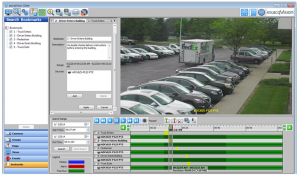
NetworkClient v4.1 REMOTE MANAGEMENT SOFTWARE Network Client v4.1 is the remote management software for the Intellex®, Intellex LT, and Intellex RMS Digital Video Management System. Network Client v4.1 runs on Windows®XP, Windows 2000, Windows NT®4.0, Windows 98, or Windows ME and can connect to unlimited Intellex units via LAN, WAN, or Internet (DSL, Cable Modem, or VPN using an Internet Service Provider) or via dial-up.

Download pdf for more information

Control AD and other domes seemlessly using Intellex and Network Client.
 

Bosch Divar & DiBos line of DVRs. Bosch offers an excellent line of DVR’s with a strong track record. Loaded with options different than those you’d find on Intellex, these DVR’s offer outstanding resolution, dependability and performance both live in-person, and virtually over a network (internet). Many models and sizes are available to suit your exact needs.

Download pdf for more information

  Ensure your vendors use only UL rated equipment in states with this requirement. Many vendors try to cut a few corners on installations and don’t bother telling you about the state laws requiring UL approval. Much of the equipment not UL is shipped in from China and Korea and cannot be guarantee’d safe!

Just look at some of the most popular features of the highest value DVR’s on the market today:

  • View Live/Recorded Video Remotely.
  • No More Video Tapes. Never forget to change them again.
  • Intelligent Recording. Longer record durations, faster searches.
  • Higher Quality Video Images.
  • View Up To 16 Separate Locations at One Time.
  • Digitally Zoom into Images to easily identify details.
  • Enhance Images. During playback to make identifying easy.
  • Higher Record Rates. (Up to 480ips)
  • Smart Search. Filters such as Motion, Light, Date/Time, Text, Perimeter Viol., Alarm Contact.
  • Instantly Find Video Events.
  • Video Is Certified Authentic for Court Cases, etc.
  • Notification of Video Alarm to pager, etc.
  • No Tape Degradation.
  • Quickly Email Video/ Save to CD.
  • POS/Text…Exception Reports. Track transactions w/ text & video.
  • View-Record-Playback-Archive-Remote Access, ALL AT ONCE
  • Proprietary Recording Algorythms help ensure no unauthorized people can view your video evidence!

Check out Intellex 4.1 Presentation Take a Virtual Tour of Intellex System & Features Network Client

Have an older Intellex? Want to find out more about upgrading it? Send us an email with the type of system you have (i.e. model #, etc.) and we will contact you either by phone or email and let you know what upgrades are available to you.